「Local LLM で動画を理解させたい!」と思ったこと、ありませんか?
今回は、この壮大な(?)野望を胸に、実際に試してみた結果をレポートします。
丸一日、格闘の末、なんとか動画理解の糸口を掴むことができたのですが、いやはや、ハマりどころ満載でした。
同じように動画理解に挑戦したい方の、貴重な(?)参考になれば幸いです。
Local LLM で動画を理解させる、そのために必要な3つの要素
Local LLM に動画を理解させる、なんて聞くと、なんだかSFの世界のようですが、実は必要なものは意外とシンプル。
でも、それぞれが結構なハードルだったりするんですよね。
具体的には、以下の3つが揃って初めて、我々の夢は現実のものとなります。
- Local LLM が快適に動くパワフルなPC: これがないと、始まらない!動画理解どころか、LLMすら動かせません。
- 動画を理解できる賢いモデル: テキストや画像だけならまだしも、動画となると選べるモデルはぐっと減ります。
- 動画入力に対応した推論エンジン(LLMランタイム): ここが、地味に一番の壁だったりします。
1. Local LLM のためのパワフルPC
Local LLM を動かすには、やっぱりある程度のスペックが必須。
「うちのPC、LLM動くかな?」と心配な方は、いっそ買い替えるか、AWSのEC2インスタンスのようなクラウドサービスを借りるのも手です。
個人的には、MacでLocal LLMを動かすのが、現時点では一番手軽でスムーズだと感じています。
Apple Silicon の進化、本当にすごいですよね!
2. 動画を理解できる「賢い」モデルを選ぼう
Local LLM のモデルは、もはや星の数ほどありますよね。
でも、動画となると話は別。
動画理解に対応しているモデルは、まだまだ限られています。代表的なものをいくつかご紹介しましょう。
「え、 Gemma とか GPT-OSS は?」と思ったあなた、鋭い!
残念ながら、これらはテキストや画像のみの対応なので、動画には使えません。
モデル選びは、まさに「沼」にハマらないための第一関門ですね。
3. 推論エンジンは「動画入力対応」が必須!
普段、Local LLM を動かすのにどんな推論エンジンを使っていますか?
X(旧Twitter)を見ていると、LM Studio や Ollama を使っている方が多い印象です。
しかし!現時点(2026年3月)では、残念ながら LM Studio や Ollama は動画入力に対応していません。
「え、じゃあどうするの?」と思いますよね。
現在、動画入力に対応している主な推論エンジンは、以下の通りです。
(※有名どころをピックアップしました。他にも対応エンジンがあるかもしれません。)
今回は、この mlx-vlm を使って、Mac上で動画理解を試してみました!
mlx-vlm とは? Macユーザーの救世主?
「mlx-vlm、初めて聞いた…」という方もいるかもしれませんね。
これは、Blaizzy さんが開発している、Mac上でMLXを使って、ビジョン言語モデルやオムニモデルの推論・微調整を可能にする、まさにMacユーザー待望のツールです。
一言でいえば、「Macで動画理解ができるようになる魔法の杖」みたいなものですね。
Mac限定なのは残念ですが、その手軽さは特筆すべきものがあります。
このツールは、Apple Silicon でLLMモデルを動かすことを推進しているコミュニティ(mlx-community) のHugging Faceでも紹介されています。
「これだけ推奨されているなら、きっと使いやすいんだろうな」と期待に胸を膨らませていたわけです。
いざ、動画理解の世界へ! (mlx-vlm で動かしてみた)
さて、いよいよ実践編です。
今回は、私が個人的にカスタマイズしたサンプルコードを使ってみました。
LM Studio APIとの互換性を持たせたり、file スキーマに対応させたり、画像入力もできるようにしたりと、色々試行錯誤の跡が見られるかもしれません(笑)。
使用したモデルは、mlx-community/Qwen3.5-9B-4bit。
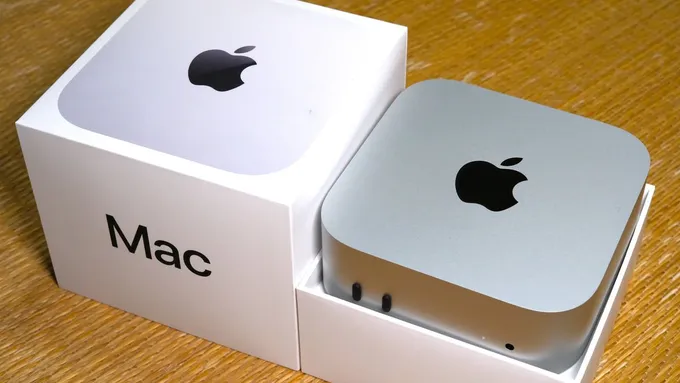
動作環境は、Mac mini M4 (32GB RAM) です。
ちなみに、このMac mini M4 について、過去に記事も書いているので、興味のある方はぜひ!
実際に動かしてみた結果、こうなった!
まずは、サーバーを起動します。
uv run uvicorn src.main:app --host 0.0.0.0 --port 8000
ポート8000で起動したら、curl コマンドでリクエストを送ってみましょう。
今回は、有名な ForBiggerBlazes.mp4 を使って、日本語での要約を依頼してみました。
% curl -X POST http://localhost:8000/v1/chat/completions \
  -H "Content-Type: application/json" \
  -d '{
    "model": "mlx-community/Qwen3.5-9B-4bit",
    "messages": [
      {
        "role": "user",
        "content": [
          { "type": "text", "text": "この動画を日本語で要約して" },
          { "type": "video_url", "video_url": { "url": "http://commondatastorage.googleapis.com/gtv-videos-bucket/sample/ForBiggerBlazes.mp4" } }
        ]
      }
    ],
    "max_tokens": 2000,
    "strip_thinking": false
  }'
すると…?
結果:
{
 "id": "chatcmpl-7f3af2d014bb456da67a4d163eacda20",
 "object": "chat.completion",
 "created": 1773448152,
 "model": "mlx-community/Qwen3.5-9B-4bit",
 "choices": [
  {
   "index": 0,
   "message": {
    "role": "assistant",
    "content": "The user wants a summary of the video in Japanese.\n\n**Video Analysis:**\n1.  **Scene 1 (00:00 - 00:03):** A tablet is lying on a wooden table next to a cup of coffee. The screen shows a scene from \"Game of Thrones\" (Daenerys Targaryen). A hand taps the screen, and the video speeds up (time-lapse effect). The text \"Shortened sequences.\" appears.\n2.  **Scene 2 (00:04 - 00:08):** The view switches to a TV screen. The same sped-up clip of the dragon fire (Dragonglass/Dragonfire) is now playing on the TV. The text \"FOR BIGGER BLAZES\" appears in large blue letters. This implies the \"shortened sequences\" feature makes the action feel more intense or \"bigger\".\n3.  **Scene 3 (00:09 - 00:10):** A hand plugs a Chromecast device into the HDMI port of a TV.\n4.  **Scene 4 (00:11 - 00:15):** Text appears on a white background: \"Everything you love, now on your TV.\" Then \"For $35. For everyone.\" Finally, the Chromecast logo and a URL (google.com/chromecast).\n\n**Synthesis:**\nThe video is an advertisement for Chromecast. It highlights a feature called \"Shortened sequences\" which likely allows users to watch scenes at a faster speed (timelapse mode). It shows this feature being used on a tablet and then promoted as looking great (\"bigger blazes\") on a TV when casted. It ends by showing how easy it is to set up (plug in) and the price ($35).\n\n**Drafting the Summary (Internal Monologue/Trial):**\n*   *English:* This ad shows a tablet playing Game of Thrones. A user speeds up the video. Then it cuts to a TV showing the same fast-forwarded clip, suggesting it looks better on the big screen. Then it shows plugging in a Chromecast. The text says \"Everything you love, now on your TV\" for $35.\n*   *Japanese translation:* この動画は、Chromecastの広告です。タブレット上で「ゲーム・オブ・ザ・ローンダ」の映像が再生されており、手をタップして速度を速くしています(Shortened sequences)。その後、テレビ画面に映し出され、より迫力のある映像(Bigger Blazes)を楽しめることを示しています。最後に、テレビのHDMIにChromecastを挿す様子と、35ドルで誰でも使えるという価格帯が紹介されています。\n\n**Refining the Japanese Summary:**\nLet's make it concise and flow well.\n*   Start with the main product: Chromecast.\n*   Describe the action: Watching a show (Game of Thrones) on a tablet, speeding it up.\n*   Describe the result: Casting it to a TV makes the scenes feel more intense/impressive (\"Bigger Blazes\").\n*   Describe the setup: Simple HDMI connection.\n*   Describe the price/conclusion: Affordable ($35) and available for everyone.\n\n**Final Polish (Japanese):**\nこの動画は、Googleのストリーミングデバイス「Chromecast」のCMです。\nタブレットで「ゲーム・オブ・ザ・ローンダ」を観ている様子が映され、画面をタップすることで映像の速度を速くする機能(Shortened sequences)が紹介されています。\nその後、その速くした映像がテレビの大画面で再生される様子が示され、「FOR BIGGER BLAZES(より大きな炎)」というキャッチコピーと共に、大画面で見るとより迫力が増すことを強調しています。\n最後に、テレビのHDMIポートにChromecastを挿す簡単な接続方法と、「For $35. For everyone.(35ドルで、誰もが使える)」という価格帯が記載されたテロップで締めくくられています。\n\nThis looks accurate and covers all key points.\n</think>\n\nこの動画は、Googleのストリーミングデバイス「Chromecast」のCMです。\n\n主な内容は以下の通りです。\n\n1.  **機能の紹介**: タブレットで「ゲーム・オブ・ザ・ローンダ」の動画を再生している様子が映されます。画面をタップすることで、映像の速度を速くする機能(Shortened sequences)が紹介されています。\n2.  **大画面での楽しさ**: その速くした映像がテレビの大画面に映し出され、「FOR BIGGER BLAZES(より大きな炎)」というキャッチコピーと共に、大画面で見るとより迫力が増すことを強調しています。\n3.  **接続と価格**: テレビのHDMIポートにChromecastを挿す簡単な接続方法が示され、最後に「For $35. For everyone.(35ドルで、誰もが使える)」という価格帯がテロップで表示されます。"
   },
   "finish_reason": "stop"
  }
 ],
 "usage": {
  "prompt_tokens": 12112,
  "completion_tokens": 1062,
  "total_tokens": 13174
 }
}
抜粋
動画の内容を分析して、要約を作成する過程も出力されてしました。
The user wants a summary of the video in Japanese.

**Video Analysis:**
1.  **Scene 1 (00:00 - 00:03):** A tablet is lying on a wooden table next to a cup of coffee. The screen shows a scene from "Game of Thrones" (Daenerys Targaryen). A hand taps the screen, and the video speeds up (time-lapse effect). The text "Shortened sequences." appears.
2.  **Scene 2 (00:04 - 00:08):** The view switches to a TV screen. The same sped-up clip of the dragon fire (Dragonglass/Dragonfire) is now playing on the TV. The text "FOR BIGGER BLAZES" appears in large blue letters. This implies the "shortened sequences" feature makes the action feel more intense or "bigger".
3.  **Scene 3 (00:09 - 00:10):** A hand plugs a Chromecast device into the HDMI port of a TV.
4.  **Scene 4 (00:11 - 00:15):** Text appears on a white background: "Everything you love, now on your TV." Then "For $35. For everyone." Finally, the Chromecast logo and a URL (google.com/chromecast).

**Synthesis:**
The video is an advertisement for Chromecast. It highlights a feature called "Shortened sequences" which likely allows users to watch scenes at a faster speed (timelapse mode). It shows this feature being used on a tablet and then promoted as looking great ("bigger blazes") on a TV when casted. It ends by showing how easy it is to set up (plug in) and the price ($35).

**Drafting the Summary (Internal Monologue/Trial):**
* *English:* This ad shows a tablet playing Game of Thrones. A user speeds up the video. Then it cuts to a TV showing the same fast-forwarded clip, suggesting it looks better on the big screen. Then it shows plugging in a Chromecast. The text says "Everything you love, now on your TV" for $35.
* *Japanese translation:* この動画は、Chromecastの広告です。タブレット上で「ゲーム・オブ・ザ・ローンダ」の映像が再生されており、手をタップして速度を速くしています(Shortened sequences)。その後、テレビ画面に映し出され、より迫力のある映像(Bigger Blazes)を楽しめることを示しています。最後に、テレビのHDMIにChromecastを挿す様子と、35ドルで誰でも使えるという価格帯が紹介されています。

**Refining the Japanese Summary:**
Let's make it concise and flow well.
* Start with the main product: Chromecast.
* Describe the action: Watching a show (Game of Thrones) on a tablet, speeding it up.
* Describe the result: Casting it to a TV makes the scenes feel more intense/impressive ("Bigger Blazes").
* Describe the setup: Simple HDMI connection.
* Describe the price/conclusion: Affordable ($35) and available for everyone.

**Final Polish (Japanese):**
この動画は、Googleのストリーミングデバイス「Chromecast」のCMです。
タブレットで「ゲーム・オブ・ザ・ローンダ」を観ている様子が映され、画面をタップすることで映像の速度を速くする機能(Shortened sequences)が紹介されています。
その後、その速くした映像がテレビの大画面で再生される様子が示され、「FOR BIGGER BLAZES(より大きな炎)」というキャッチコピーと共に、大画面で見るとより迫力が増すことを強調しています。
最後に、テレビのHDMIポートにChromecastを挿す簡単な接続方法と、「For $35. For everyone.(35ドルで、誰もが使える)」という価格帯が記載されたテロップで締めくくられています。

This looks accurate and covers all key points.
</think>

この動画は、Googleのストリーミングデバイス「Chromecast」のCMです。

主な内容は以下の通りです。

1.  **機能の紹介**: タブレットで「ゲーム・オブ・ザ・ローンダ」の動画を再生している様子が映されます。画面をタップすることで、映像の速度を速くする機能(Shortened sequences)が紹介されています。
2.  **大画面での楽しさ**: その速くした映像がテレビの大画面に映し出され、「FOR BIGGER BLAZES(より大きな炎)」というキャッチコピーと共に、大画面で見るとより迫力が増すことを強調しています。
3.  **接続と価格**: テレビのHDMIポートにChromecastを挿す簡単な接続方法が示され、最後に「For $35. For everyone.(35ドルで、誰もが使える)」という価格帯がテロップで表示されます。
おや? 日本語での要約を依頼したのに、思考プロセスまで英語で出力されてしまいました。
「考えてる過程、見なくていいんだけどな…」と、ちょっと残念な気持ちになりましたが、動画の内容分析と、それを元にした日本語の要約はしっかりできています。
この「思考プロセス」の出力をどうにかしたい、というのは今後の課題ですね!
まとめ:Local LLM で動画理解、ついに現実へ!
今回は、Local LLM を使って動画理解に挑戦した結果をお届けしました。
動画を理解させるためには、
- Local LLM が快適に動くPC
- 動画理解ができるモデル
- 動画入力に対応した推論エンジン
この3つが必須であることを改めて確認しました。
そして、Macユーザーであれば、mlx-vlm を使うことで、比較的簡単に動画理解を実現できることを実感しました。
Mac限定なのは惜しいですが、この手軽さは大きな魅力です。
この記事が、Local LLM で動画理解を試してみたい方の、一助となれば幸いです!